Everything you use, one swipe away.
A small tab sits on the edge of your screen. Pull it, and a wheel opens under your thumb with your favourite apps and tools. Spin it, tap, done.
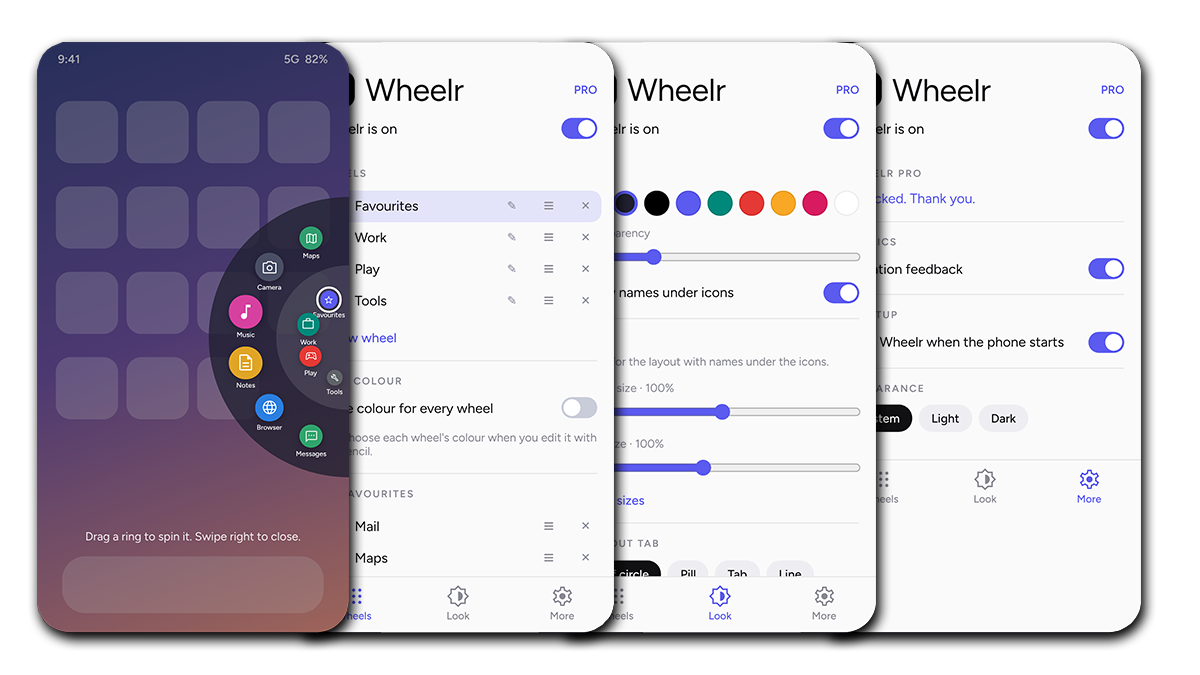
Wheelr is an edge launcher for Android. It stays out of the way until you need it, then gives you a fast, one-handed way to reach the things you open most, from any app, without going back to your home screen.
Pull the tab
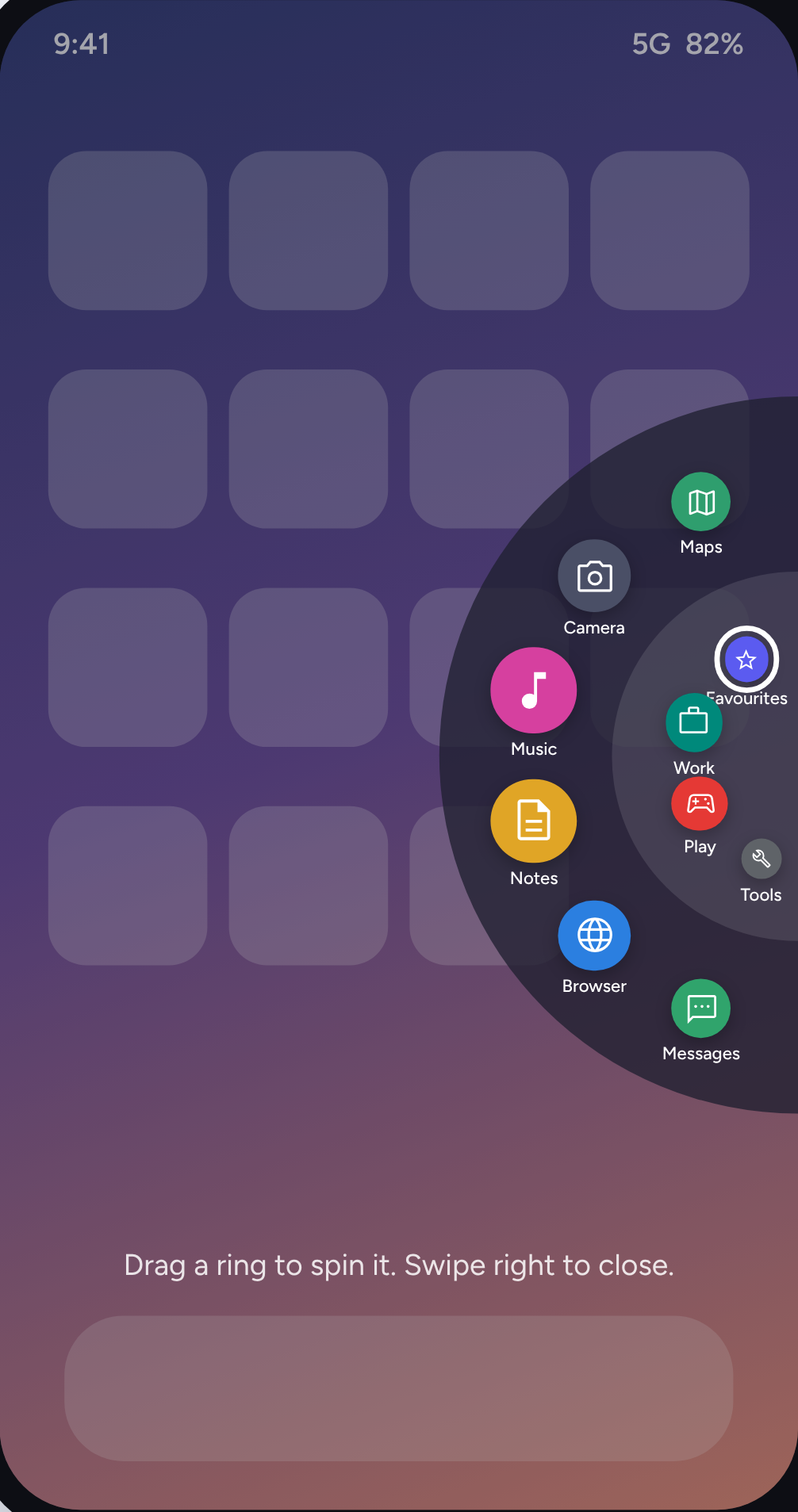
A small tab sits on the left or right edge of your screen. Swipe it toward the middle to open the wheel.
Spin the rings
The wheel has two rings. The inner ring holds your wheels, such as Favourites, Work or Play. The outer ring shows the apps and tools in the wheel you pick.
Tap to launch
Tap an icon to open it. Swipe back toward the edge, or tap outside, to close.
Apps
Any app on your phone.
Tools
Torch, volume, ringer, media controls, brightness, auto-rotate, Do Not Disturb, and shortcuts to settings pages such as Wi-Fi, Bluetooth, Battery and more.
Contacts
Call or open someone in one tap.
Files and links
The documents and web pages you keep coming back to.
Tick several items at once, search to find them quickly, and drag to put them in your own order.
Choose your side
Left or right edge.
Shape the tab
Half circle, pill, tab or line, with your own size and position on the edge.
Colour and transparency
Pick the wheel colour and how see-through it is.
Size
Separate sliders for the wheel and for the icons, with or without names.
Icon colours
Give each wheel its own colour, or one colour for them all.
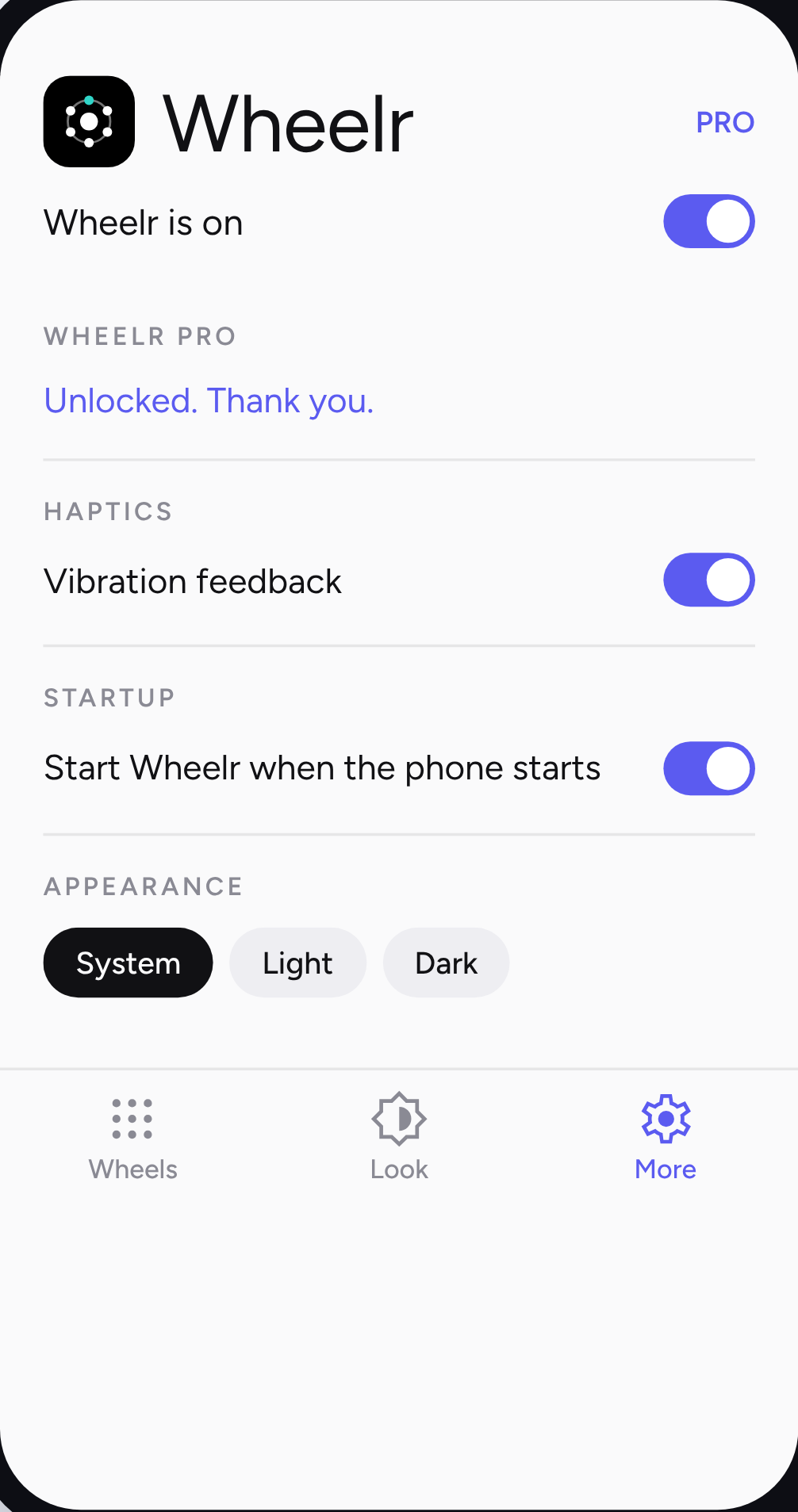
Light, dark or system
Pick the theme for the settings.
Haptics
Switch haptic feedback on or off.
Always on
Wheelr can start by itself when your phone starts.
Wheelr has no account, no ads and no analytics, and it sends nothing off your phone. Your wheels stay on your device. Read the privacy policy
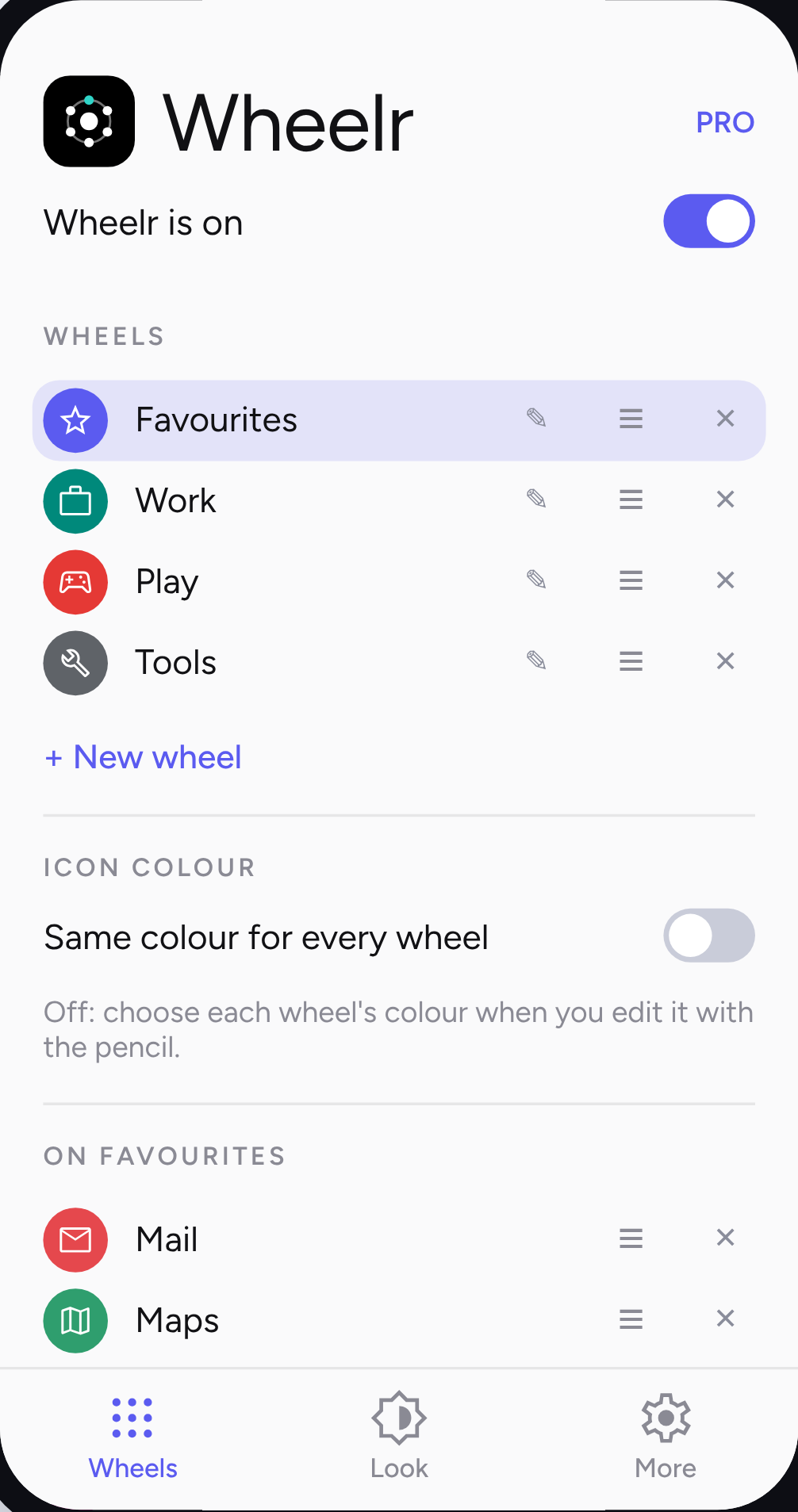
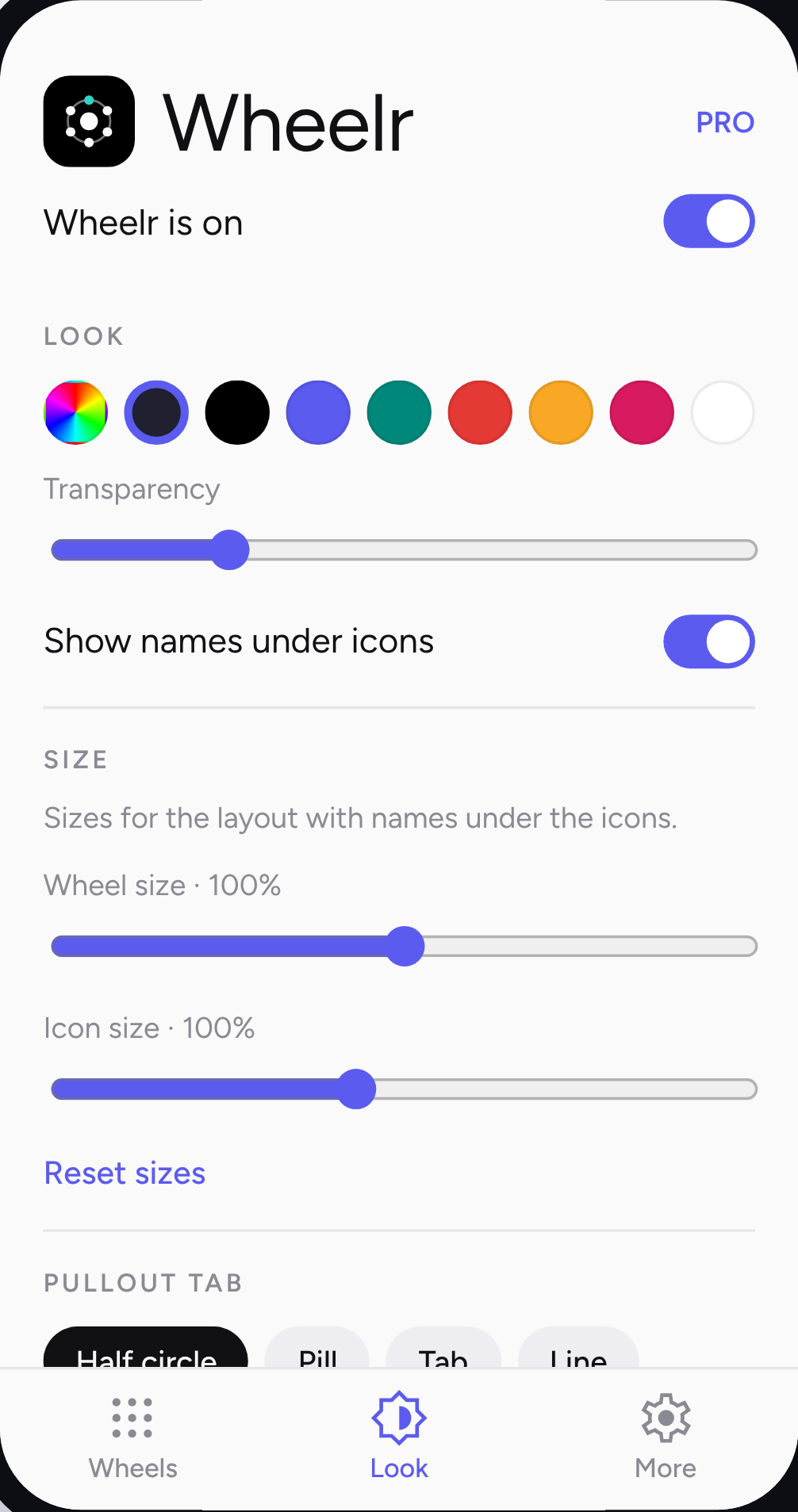
Wheelr is free to use with up to 2 wheels and 6 items per wheel.
Wheelr Pro is a single payment, with no subscription, and unlocks:
- More than 2 wheels
- More than 6 items per wheel
- Any colour you like, with a full colour picker
- The option to hide names under icons for a cleaner, tighter wheel
Pro is tied to your Google account, so it comes back on a new phone or after a reinstall.
Android only
It needs Android 8.0 or newer.
One permission to start
Wheelr asks you to allow "Display over other apps" so it can draw the tab and wheel on top of other apps. You can turn it off any time.
Tool permissions
Some tools, such as brightness or Do Not Disturb, ask for their own permission, but only if you add them to a wheel.
Does it slow my phone down or drain the battery?
Wheelr is a lightweight overlay and only does work when you use it, so minimal battery is used.
Why does it show a notification?
Android requires a notification while an app draws over other apps. Wheelr keeps it minimal.
Will I lose my wheels when the app updates?
No. They're saved on your phone, and Android's backup can restore them on a new device.
Does it work on foldables and tablets?
It's built to follow the screen when it rotates or folds.
Is there an iPhone version?
No. Wheelr is Android only.